


File-, Like a Pro
Document Management with APplus Documents
MORE THAN JUST A PLACE TO STORE YOUR DOCUMENTS
Discover APplus Documents
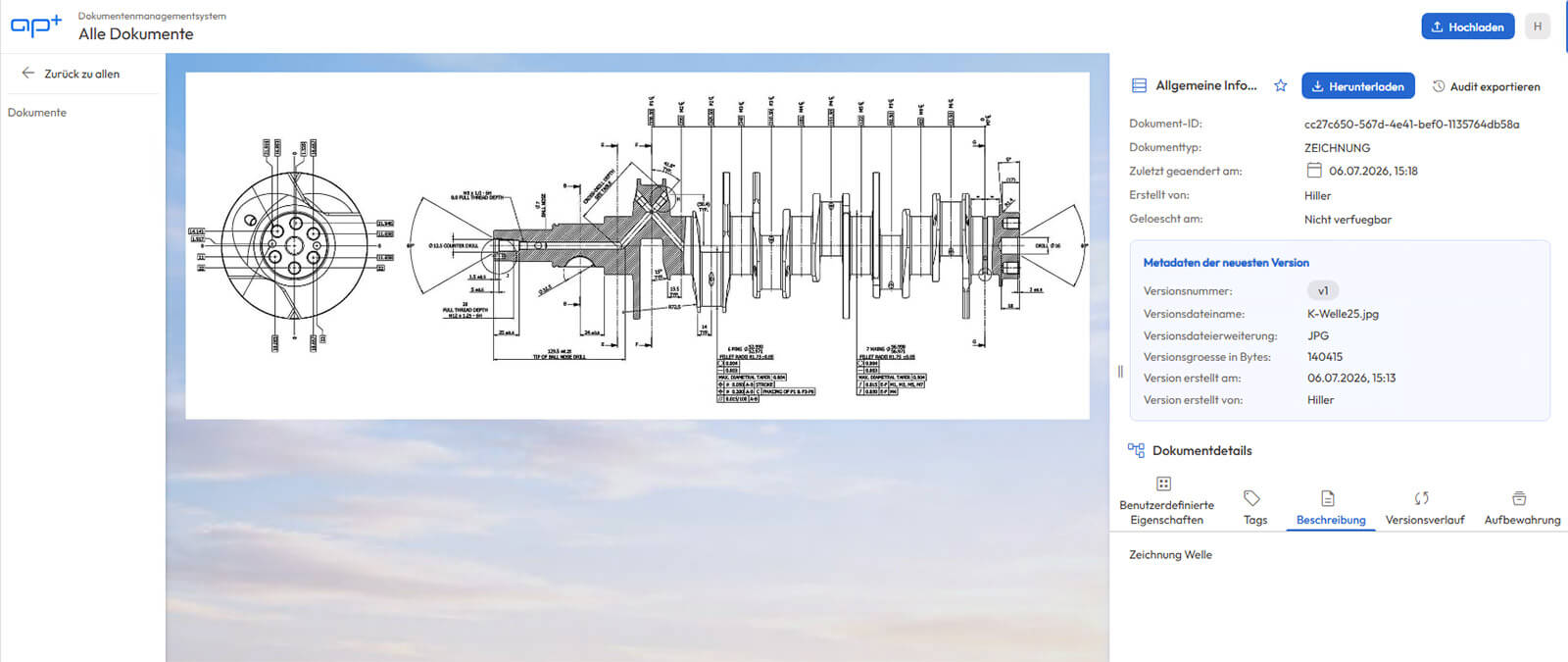
Today, a document management system (DMS) must do more than just securely store documents. It should make information available, support business processes, and pave the way for automation and AI.
APplus Documents was developed specifically for this transition. The solution, which is fully integrated into APplus, combines proven DMS features with intelligent document processing:
- Structured & Audit-Proof Document Storage
- AI-Powered Document Interpretation & Seamless Further Processing
- Certified in accordance with IDW PS 880
Early-Bird Discount: Save 50% on
If you place your order by December 18, 2026 —timing is everything!

APPLUS DOCUMENTS FEATURES
Everything modern document management needs to do today
Structured Filing System
Document Types, Metadata, and Versioning
Audit Compliance
Audit trail, retention and deletion policies;
IDW-PS-880 certification in progress
Quick Search
üAbout Metadata and Tags
Preview & Download
Images and PDFs at a Glance
Authorizations
Role-Based Access at the Document Type and Metadata Levels
Documented API
Easy integration of additional systems
Ready for AI
Future-Proof for Intelligent Document Workflows
Integrated into APplus
No media breaks; documents stored directly in the ERP
DMS IN TRANSITION
From Filing to Smart Processing
OCR is a thing of the past.
Traditional scanning produces text, but no context. Information remains raw data that must be manually transferred and interpreted.
APplus Documents lays the foundation for the next generation of document processing: Using AI and automation, documents are automatically understood, information is extracted, and business processes are intelligently supported.
This is how a document becomes an active component of your digital processes.
-
Understanding Instead of Just Scanning
Content is captured, not merely recognized as text -
Automatically import
; the information is processed further without any manual steps in between -
Format-independent
: E-invoices, PDFs, and scanned documents all follow the same process -
Initiate processes
The document serves as the first step in the business process
DEVELOPED FOR APPLUS
Not just connected
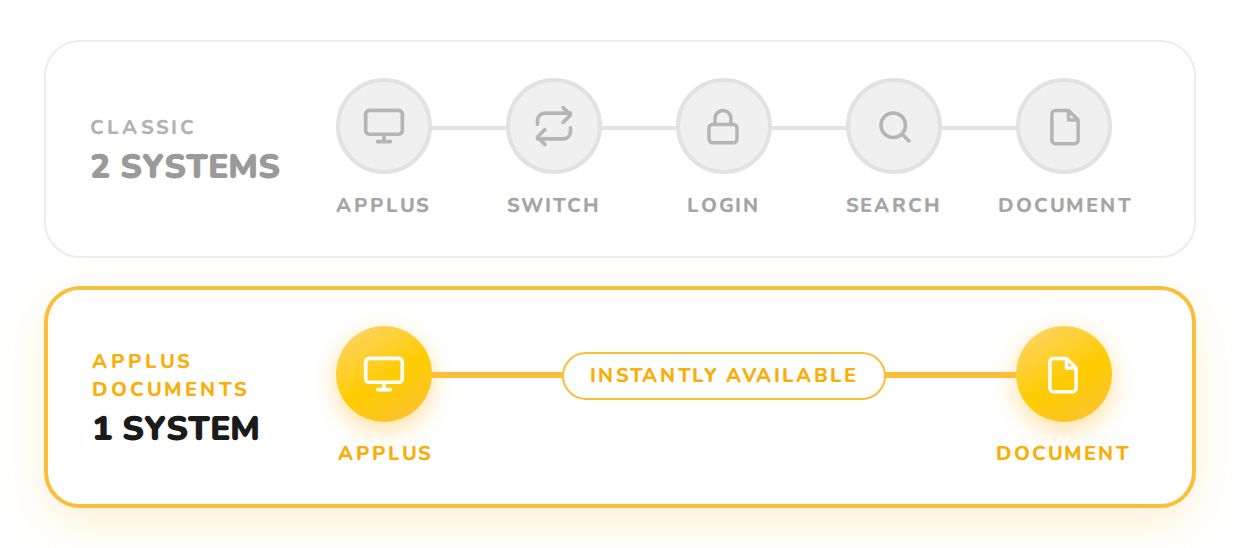
APplus Documents was developed from the ground up —with no legacy systems, no historical baggage — and is fully integrated into APplus.
For you, this means:
- Consistent Look and Feel
- No system changes
- Central User Management
- Continuous Improvement
- Updates from a Single Source
Technical Requirements
The transition to APplus Documents has been deliberately kept simple. Documents from existing DMS solutions can be imported, including document types and filing plans. Through a documented API, it offers a wide range of options for integrating with other systems.
You can find all technical and hardware requirements in our technical documentation.
Webinars
Get more out of your documents!
Get to know APplus Documents in this webinar—concise, practical, and tailored to your DMS journey.

Experience APplus Documents firsthand!
FAQs About APplus Documents
What is APplus Documents?
APplus Documents is designed for APplus customers who need an integrated document management system to manage their business documents.
Who is APplus Documents designed for?
If you want to optimize your production processes, bring more transparency to your business processes and improve customer relationship management, an ERP system is also worthwhile for your company. Discover the industry solutions and special modules from APplus – and secure decisive competitive advantages for your company in the long term!
Can APplus Documents be used without APplus?
Yes. In addition to integration with APplus, a browser-based DMS application is available for document access and administration.
When will APplus Documents be available?
APplus Documents will be available for APplus versions 8, 9, and 10 starting in the fourth quarter of 2026.
Is the feature set of the first version already complete?
No. The product is continuously being developed in accordance with the roadmap and based on customer feedback.
What features are included in the first version?
- Document storage
- Document Types
- Metadata
- Versioning
- Metadata Search
- Browser preview for images and PDF documents
- Access Management
- Retention and Deletion Management
- Audit Trail
- APplus Integration
Does APplus Documents support document versioning?
Yes. Previous versions of a document remain available and can be traced at any time.
Can a document be linked to multiple APplus business objects?
Support for multiple references is part of the product roadmap.
Will a full-text search be available?
Yes. The full-text search is currently under development.
Are digital files and filing plans supported?
Yes. Digital files and file plans are planned for the first customer release.
What file formats are supported?
In principle, any file type can be archived. The preview feature currently supports PDF and image formats. We also plan to add preview support for:
- Microsoft Word
- Microsoft Excel
- Microsoft PowerPoint
- MSG
- EML
- DXF
- DWG
- STEP
How does APplus Documents integrate with APplus?
In terms of operation, this integration is largely similar to the previous d.velop integration.
Does APplus Documents support single sign-on (SSO)?
Yes. APplus Documents uses Keycloak as its central identity provider.
Do I have to log in again when I open a document?
The target architecture provides for single sign-on via Keycloak, so no additional login is required.
Does APplus Documents support audit-compliant archiving?
Yes. This is ensured through version control, audit trails, integrity checks, and controlled retention and deletion processes.
Is APplus Documents already certified under IDW PS 880?
Certification is currently in the works.
Can existing d.velop archives be migrated?
Yes. A migration path is provided.
Is migration from SharePoint supported?
Yes. A migration from SharePoint is currently planned.
Does APplus Documents support workflows?
Workflow functions are provided through APplus Flow.
Does APplus Documents support OCR or AI?
OCR and AI-powered document processing are provided through APplus Flow.
Will there be a mobile app?
Mobile features are part of the product roadmap.
Which operating systems and browsers are supported?
Please refer to the document “APplus Documents Software & Hardware Requirements.”
How is APplus Documents licensed?
The first version uses the existing APplus user licenses. An expanded licensing model is currently being evaluated, which is intended to support users in the future even if they do not have APplus licenses.
Where can I find more information?
Product documentation, product specifications, and software and hardware requirements are available on the APplus Support Portal.
How can I report bugs or request new features?
After the first customer release, you can use the standard APplus support process or contact your APplus representative.
Can't find your question here?

